

Description
Make iTop more secure!
Security has always been a top priority. This extension is innovative, and continues to be actively developed.
It was the first to offer multi-factor authentication and web authentication for the iTop free iTop Community Edition, and continues to offer the most options.
Authentication
Multi-Factor Authentication
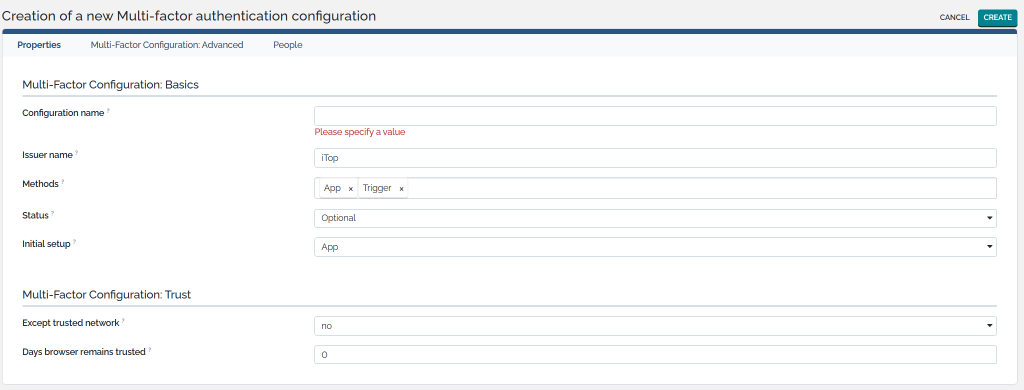
Securely sign into iTop with multi-factor authentication, using:
- A code generated by an app of your choice (any classic authenticator app such as Google and Microsoft Authenticator, quite a few modern password managers such as 1Login or BitWarden, …).
- Or as an iTop administrator, configure iTop to send a message (using a trigger) to the user containing the OTP code. Most commonly, this would be done by e-mail. But it is possible to for example send the code in an SMS message when using a third-party API.
The extension has no external dependencies and works perfectly with internal iTop users, so no need to set up a SAML or OpenID integration. However, the multi-factor layer could also be enabled on top of those authentication flows.
To balance security and user friendliness, there are options to whitelist IP addresses and remember the browser for a certain amount of days before the user is prompted again.
It’s possible to have different TOTP configurations in place, assigned to different people.
Passkeys (WebAuthn)
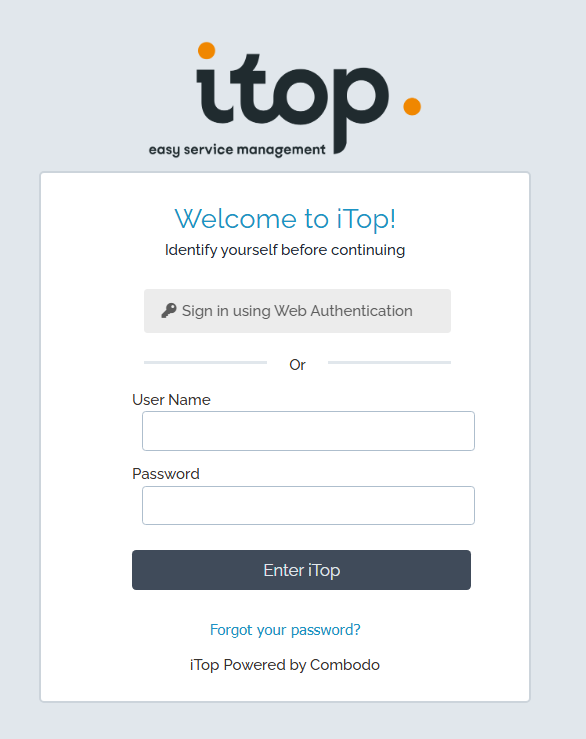
Enable Web Authentication for iTop users. They can register a passkey and save it in a password manager (such as BitWarden, 1Password, …), or Microsoft Windows Hello, or any other suitable physical device or software application.
On the classic iTop login screen; users can then simply click a button to sign in with this passkey instead. Passkeys are more secure and a faster way to sign in!
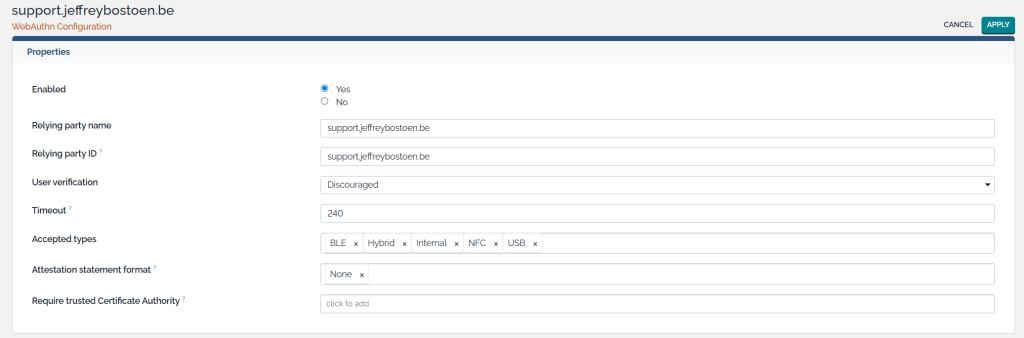
This comes with some standard options.
Passwordless sign-in (magic link)
Allow your users to sign in using a magic link as primary or secondary sign-in factor.
In case of primary sign-in factor: users only need to enter their e-mail address or username; and iTop can send a sign-in link to them.
Recovery codes
Use recovery codes as primary or secondary sign-in factor.
Compliance
Audit authentication
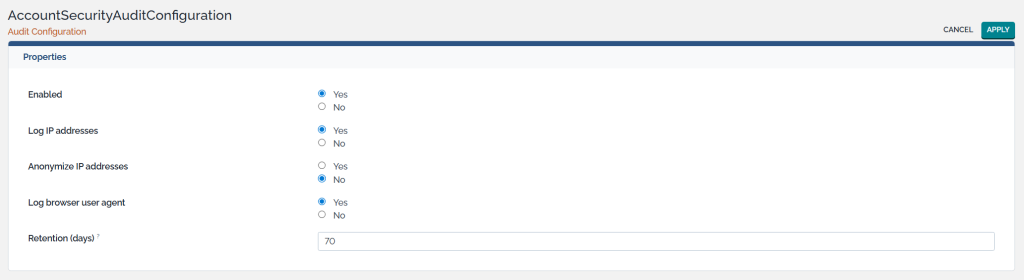
When auditing is enabled, info about a user’s session is stored for the specified amount of time.
It can track when and for how long users are signed in, from which IP, from which browser, …
Policies
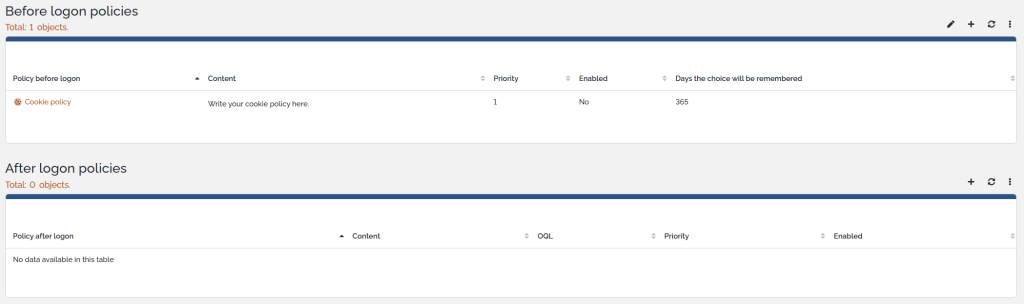
Show policies to accept before any visitor will even see the login screen; or before any user can access iTop after initial authentication.
Think of policies relating to cookies, GDPR, company guidelines, …
Sign-in Protection
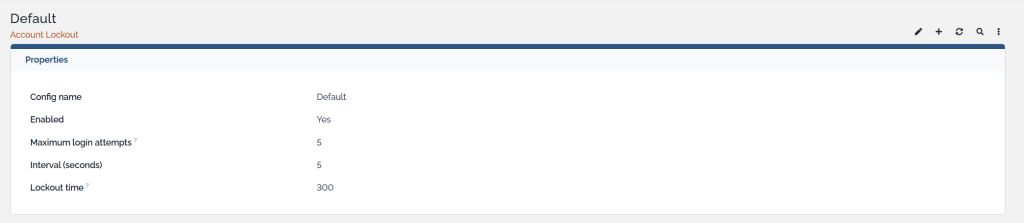
Lockout
Prevent brute-force attacks. Lock out accounts automatically for a while after a certain amount of failed login attempts within a certain interval.
It comes with exponential backoff options too.
ReCAPTCHA
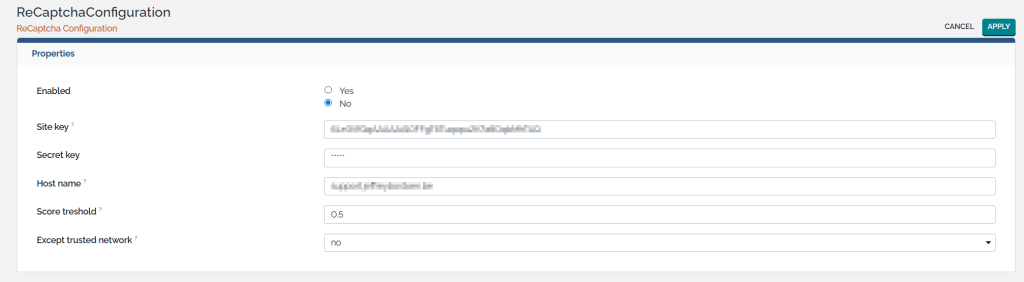
Set up an integration with Google’s ReCAPTCHA.
Extra triggers
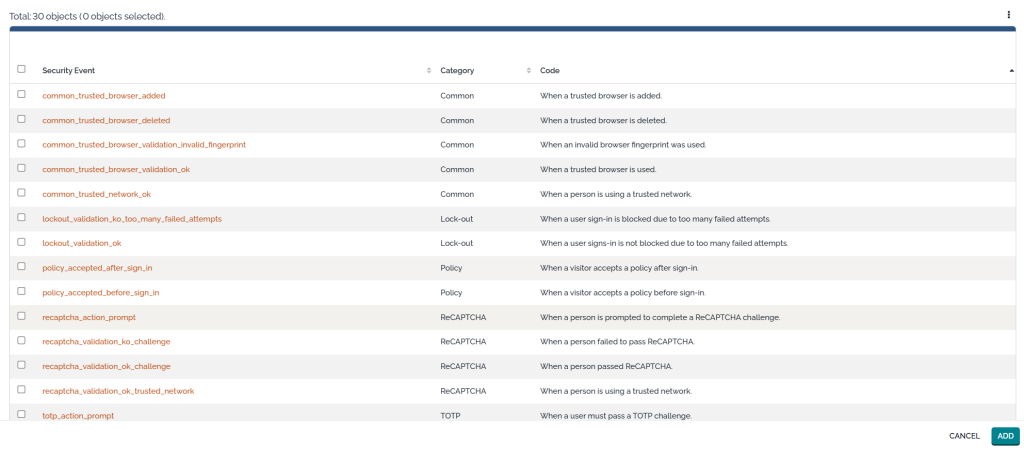
Almost each feature brings specific security events.
There is one new trigger, which allows administrators to execute actions as soon as a certain security event occurs.
For example; send info to a Syslog server; send an OTP-code to a user; …



 I'm a native Dutch speaker, fluent in English.