It is most commonly used by organizations that want to implement a formal change process.
Approval rules can be created for any class with a lifecycle. This includes user requests as well, or other custom classes.
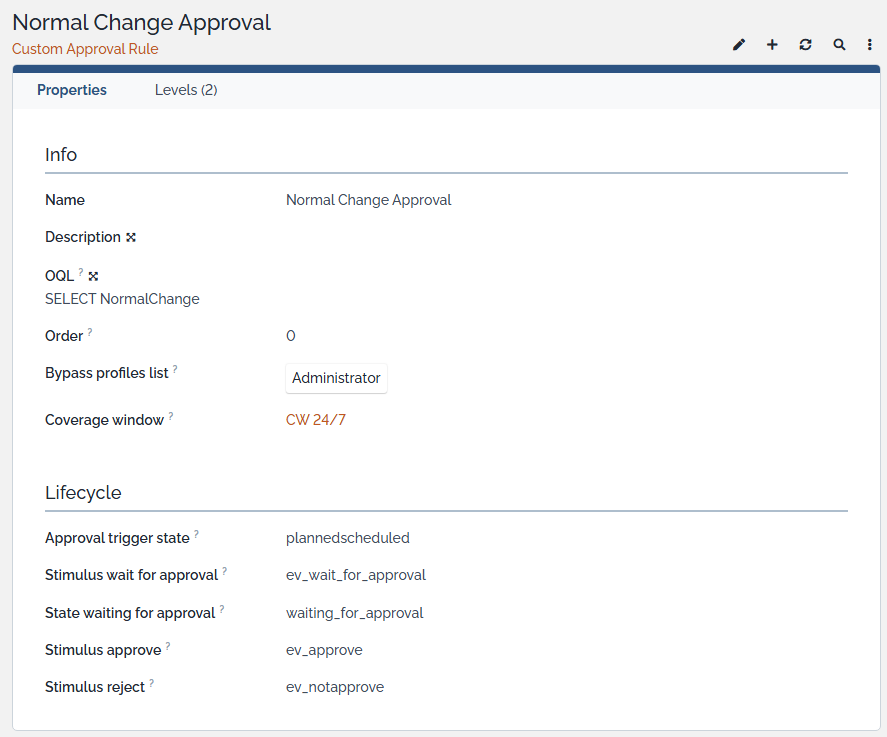
The approval rule applies to a specific set of objects (further filtering is possible, e.g. “All normal changes from a certain organization”).
Approvals is an advanced base extension that introduces an approval process in iTop. This means that some minor (datamodel) customization is still needed. For example, below the normal change has been customized to allow this custom approval rule.
In this example, we set up an approval rule of 2 levels for any normal change.
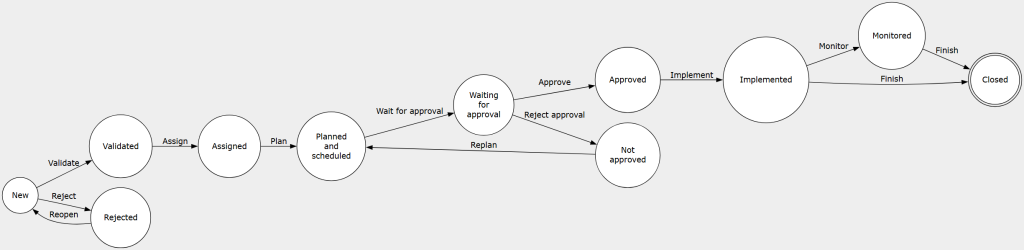
Once the normal change is planned, the approval process is automatically triggered. The state is set to waiting for approval.
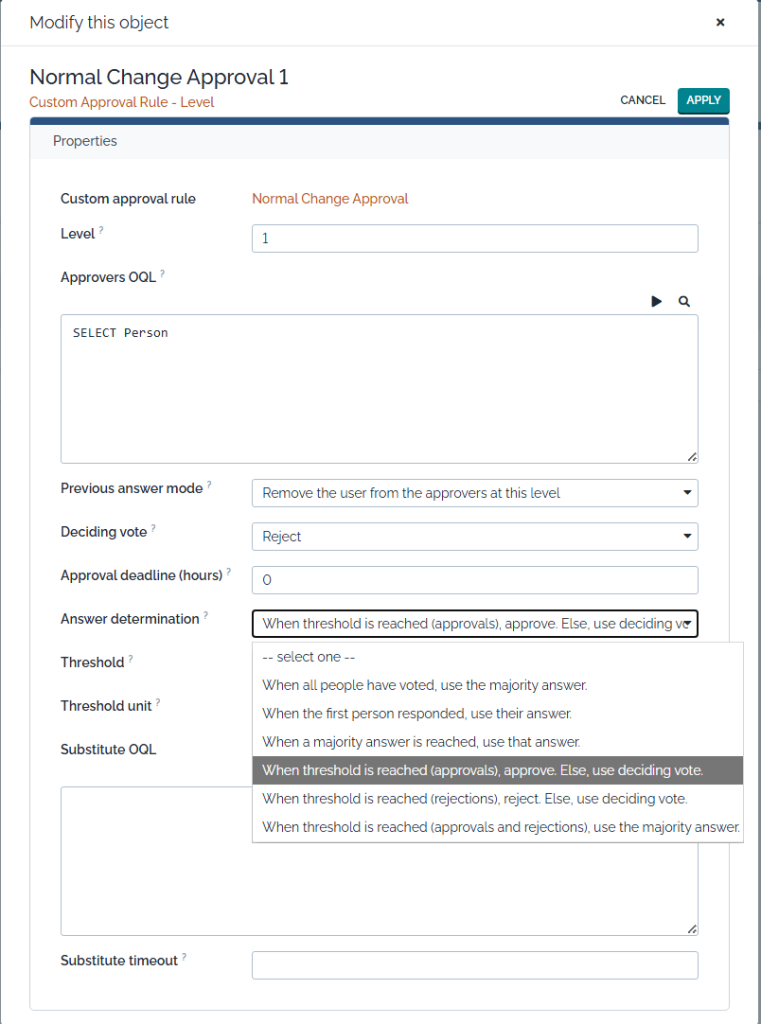
Per level, it’s possible to define who the approvers are.
Previous answer mode:
- Reuse previous answer.
- If a user already provided an answer at an earlier level; remove the user.
- Request the user to approve / reject again.
Approval deadline (hours): When enabled, the configured substitutes of the approver will be contacted instead.
Answer determination: This determines when the voting process moves to the next level, or ends if no more levels are left.
- When all people have voted, use the majority answer.
- When the first person responded, use their answer.
- When a majority answer is reached, use that answer.
- When threshold is reached (approvals), approve. Else, use deciding vote.
- When threshold is reached (rejections), reject. Else, use deciding vote.
- When threshold is reached (approvals and rejections), use the majority answer.
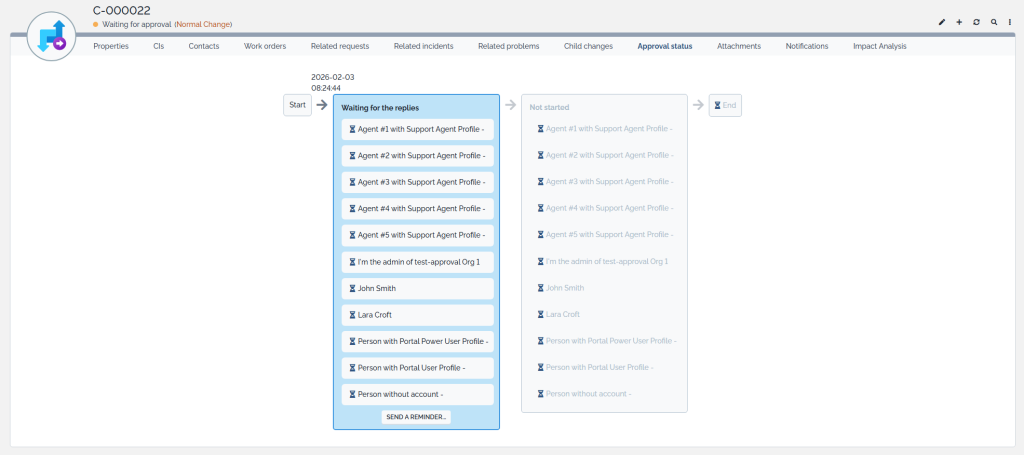
Below is an example of an active approval process (still in the first level).
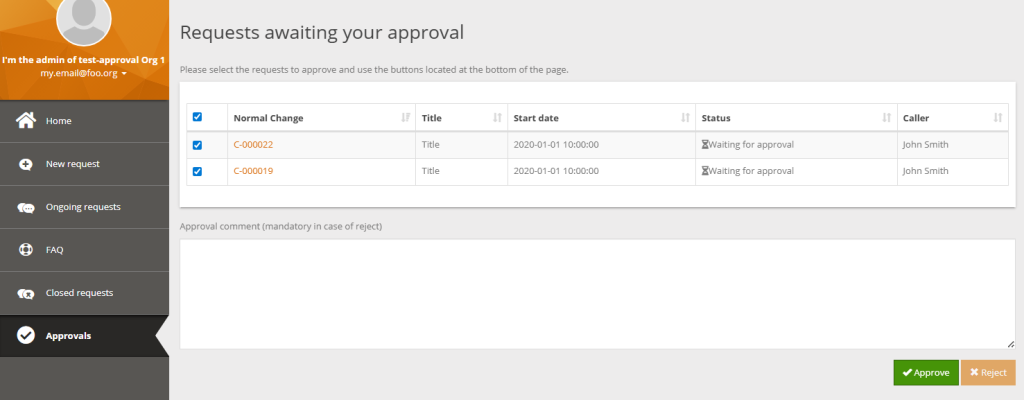
The approval requests can also be shown in the user portal.